You will find in this Chapter:
Immersive Reader
Accessibility Checker
Math Assistant
Live Captions and Real-Time Translation
In the pursuit of empowering migrants and fostering inclusive educational environments, a suite of transformative digital tools has emerged as a powerful ally. These innovative technologies hold the potential to enhance the learning experience, ensuring that knowledge and opportunity are accessible to all, regardless of linguistic or cognitive barriers. Here we propose a review of some impactful digital tools that are reshaping education more inclusively. They can be integrated in the main tools used for preparing digital texts or presentations, or in the browsers, empowering the teachers with functionalities to make the contents more inclusive.
Immersive Reader
The Immersive Reader is a powerful digital tool that can significantly improve reading comprehension and accessibility for learners of all backgrounds. It is available in different implementations: there is one version available as an additional macro for the Microsoft Office applications, there is an add-on version for Google Chrome or Microsoft Edge, and there are also independent apps.
By utilising text-to-speech technology, precise language translation, and customizable visual settings, this tool enables users to engage with content in a manner that accommodates their unique needs and preferences. For migrants, the Immersive Reader can be an invaluable resource, providing them with the ability to access learning materials in their target language through instant translation. Furthermore, it offers a text-to-speech function, allowing learners to listen to the material and further reinforce their understanding and language acquisition. The tool’s customizable features, such as adjustable font size, spacing, and background colours, cater to users with various cognitive and learning styles, including those with dyslexia or other learning disabilities. This allows them to engage with the material in a more comfortable and distraction-free environment, ultimately enhancing their overall learning experience.
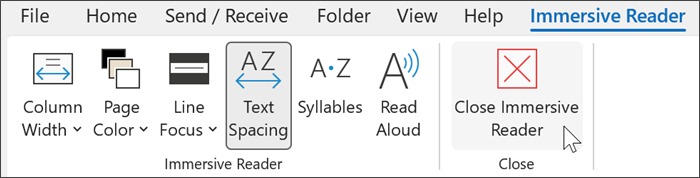
The Immersive Reader can greatly benefit students with diverse learning needs in several ways. For English language learners, including migrant students, the Immersive Reader’s text translation and text-to-speech features allow them to access learning materials in their native language. This helps overcome language barriers and supports their comprehension and language acquisition. For students with disabilities, the Immersive Reader offers customizable settings that cater to the needs of students with learning disabilities like dyslexia. Features such as adjustable font sizes, spacing, and background colours can create a more comfortable and distraction-free reading experience, enabling these students to engage with content more effectively. The combination of visual, auditory, and linguistic support provided by the Immersive Reader caters to different learning styles. Students can choose to read the text, listen to the audio, or utilize both modalities, reinforcing their understanding through multiple sensory channels. The Immersive Reader’s ability to adapt to individual student needs allows for a personalised learning experience. Educators can leverage the tool’s customization options to tailor the learning environment to the specific requirements of each student, ensuring an inclusive and supportive educational experience. By empowering students with diverse needs to access and comprehend learning materials independently, the Immersive Reader can boost their confidence, self-esteem, and sense of autonomy in the learning process. This, in turn, can lead to improved engagement, motivation, and academic outcomes.
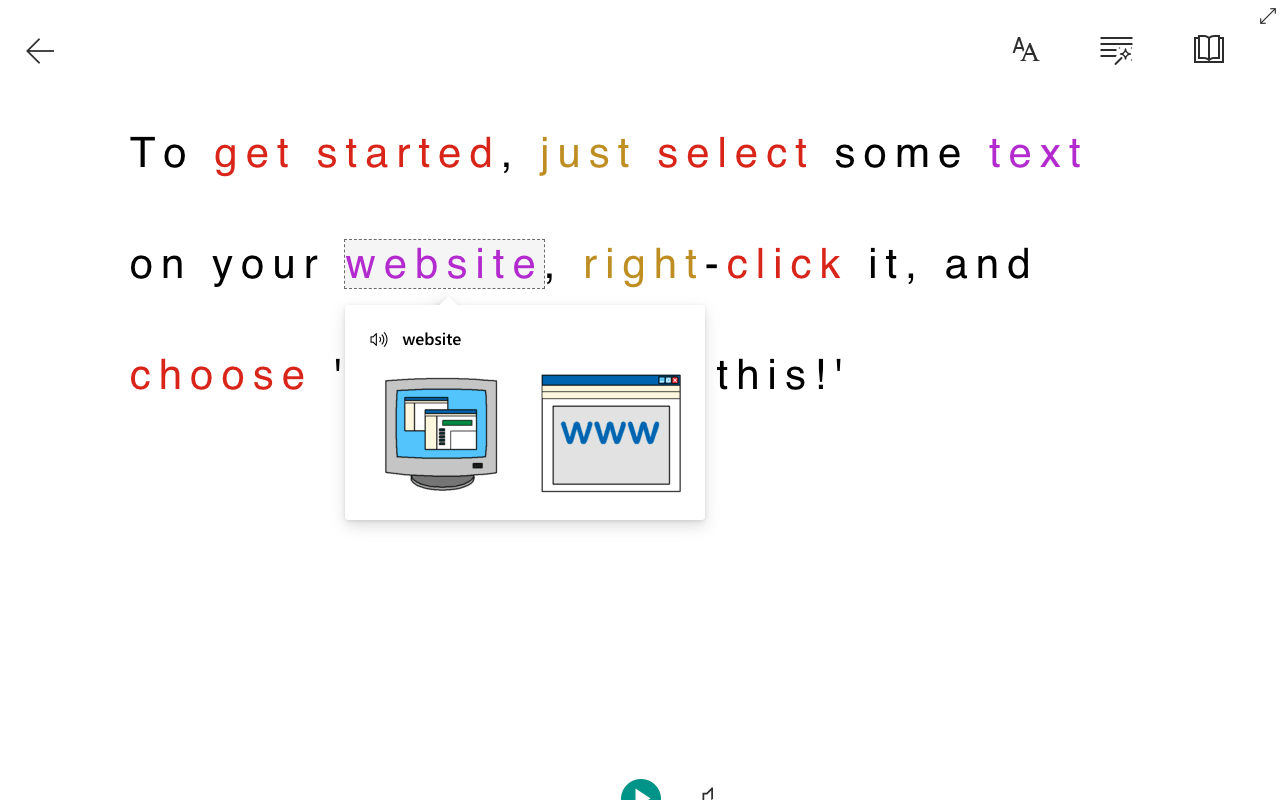
To effectively use the Immersive Reader with students, teachers should ensure that both they and their students are well-acquainted with its features and functionalities. This can be achieved by conducting training sessions or developing user guides to help everyone understand how to use the tool effectively. Integrating the Immersive Reader thoughtfully into lesson plans and classroom activities will help students become familiar with the tool and recognize its value in enhancing their learning experience. Encouraging students to customise the Immersive Reader settings to suit their individual needs is also important. Teachers should guide on adjusting font size, spacing, background colour, and other preferences to create the best learning environment. Promoting a collaborative atmosphere where students help each other use the Immersive Reader can build a sense of community, support peer learning, and improve digital literacy skills.
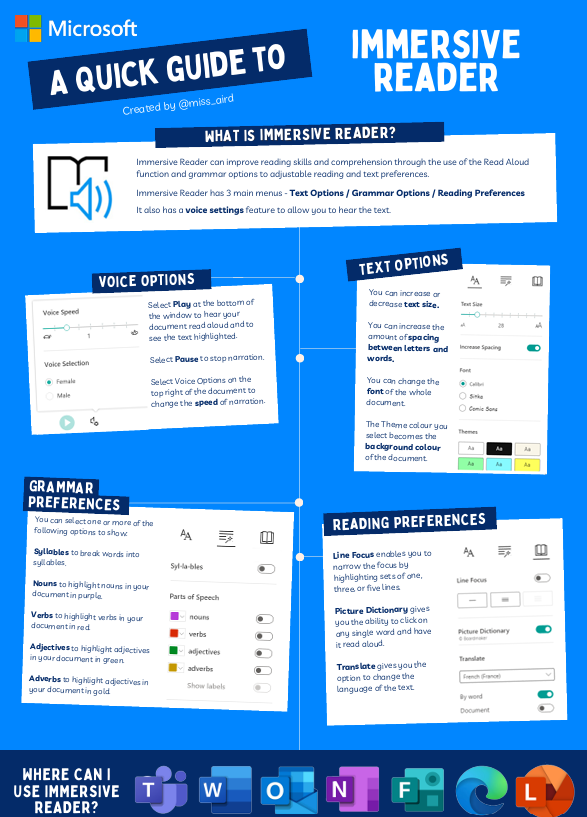
Consistently checking in with students to gauge how the Immersive Reader is affecting their learning is crucial. Gathering feedback and adjusting teaching methods accordingly can help maximise the tool’s effectiveness. Understanding that students will have different levels of comfort and skill with the Immersive Reader, teachers should provide personalized support to ensure all students can make the most of the tool. Additionally, informing parents and guardians about the benefits of the Immersive Reader and encouraging them to support their children’s use of the tool at home will further reinforce its integration into their learning routine. Collaborating with special education teachers, language instructors, and other specialists can ensure that the Immersive Reader addresses the specific needs of students with diverse learning requirements. By adhering to these practices, teachers can enhance the effectiveness of the Immersive Reader and foster a more inclusive and supportive learning environment for all students.
Accessibility Checker
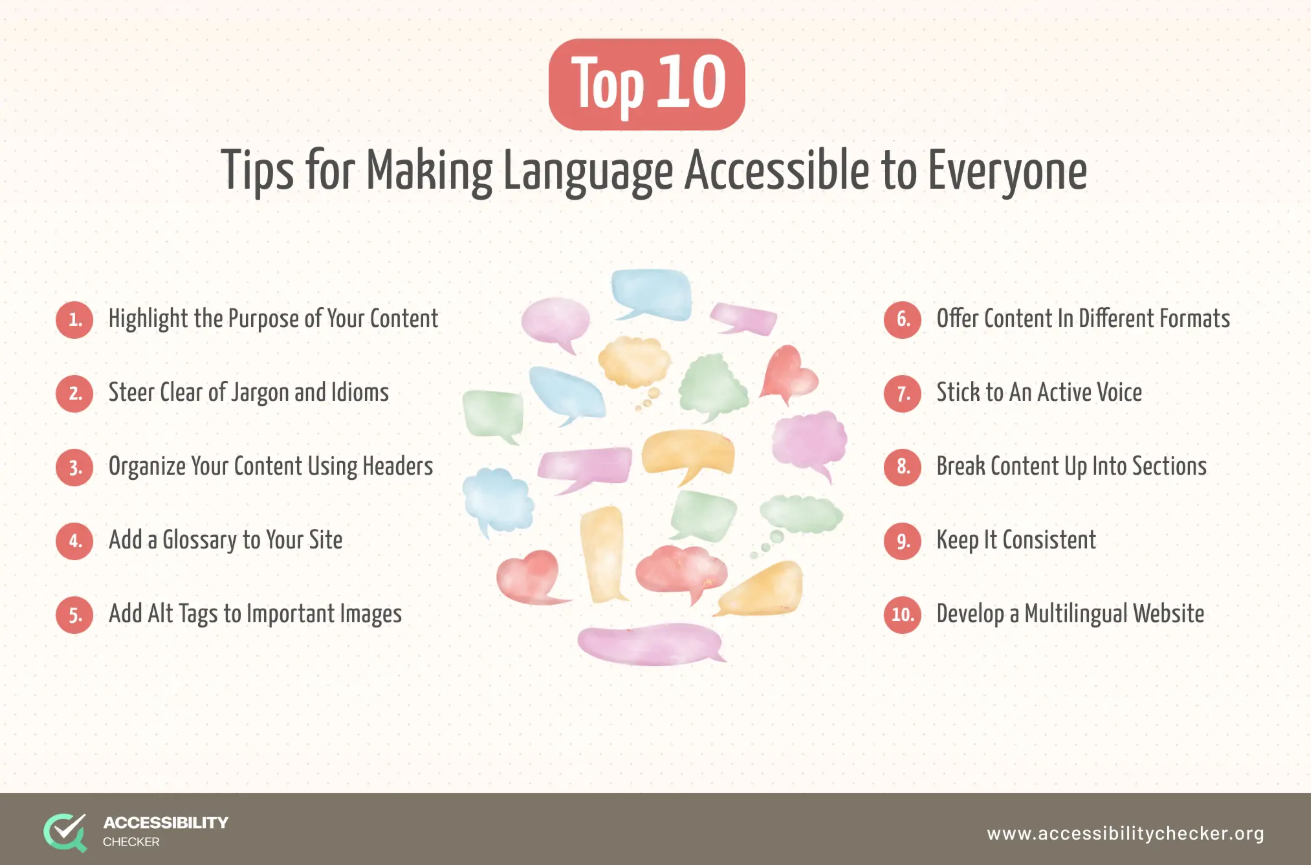
The Accessibility Checker is a useful digital tool that helps educators and content creators ensure their learning materials are accessible to all students, including those with disabilities. This innovative tool scans web pages, documents, and other digital resources, providing detailed feedback on potential accessibility issues. It can detect problems such as missing alternative text for images, low colour contrast, and the lack of proper heading structures – all of which can create barriers for learners with visual, cognitive, or other impairments. Armed with the Accessibility Checker’s insights, educators can quickly identify and address these concerns, transforming their digital content into an inclusive learning environment that caters to the diverse needs of their students. By incorporating the Accessibility Checker into their workflow, teachers can take proactive steps to create equitable access to knowledge and opportunities, fostering a classroom that truly empowers all learners to thrive.
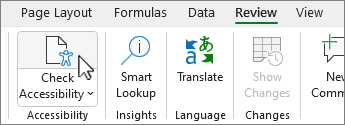
Imagine a teacher preparing a digital presentation on language comprehension. Before sharing it with students, the teacher decides to run it through the Accessibility Checker. The tool immediately identifies a few areas of concern: several images throughout the presentation lack alternative text descriptions, which means students who use screen readers would not be able to understand the visual content. Additionally, the colour contrast between the text and background in one section is quite low, making it difficult for students with visual impairments to read the information. Furthermore, the headings are not properly structured, which can hinder navigation and comprehension for students with cognitive or learning disabilities. Armed with this feedback from the Accessibility Checker, the teacher can quickly address these issues. They add concise alternative text descriptions for each relevant image, ensuring screen readers can convey the visual information. They adjust the colour scheme to improve the contrast, making the text easier to read for students with visual needs. They restructure the headings to create a clear, hierarchical outline of the content, facilitating better navigation and understanding. By taking these steps, the teacher transforms the once inaccessible presentation into an inclusive learning resource that can be accessed and understood by all students, regardless of their abilities. The Accessibility Checker has empowered the teacher to proactively identify and resolve potential barriers, creating an equitable learning experience for their diverse classroom. This example illustrates how the Accessibility Checker can be a powerful tool in the hands of educators committed to fostering an inclusive learning environment. By leveraging this digital resource, teachers can ensure their digital content is accessible and welcoming to all students, promoting equal opportunities for academic success.
Math Assistant
As part of comprehensive learning, Math Assistant is a useful technological tool that enables diverse groups of people to tackle mathematical problems and overcome their difficulties. The tool is available as an integrated plug-in, for example in Microsoft OneNote, or as an independent application.
Mathematics, often perceived as a subject of rigid formulas and discouraging complexities, can pose significant challenges for many students. For migrant learners, these challenges can be further compounded by language barriers and cultural differences. The Math Assistant aims to bridge these gaps, providing a comprehensive and personalized approach to mathematical learning. At the core of the Math Assistant’s functionality lies its ability to translate mathematical concepts, formulas, and problem statements into the user’s preferred language. This feature is especially crucial for migrant learners, enabling them to access and comprehend the subject matter without the limitations of language proficiency. By ensuring that the mathematical content is presented in a language they understand, the Math Assistant removes a significant barrier to learning, allowing these students to engage with the material on a deeper level. Beyond language support, the Math Assistant also offers a range of features tailored to the unique needs of individual learners. The tool provides step-by-step explanations and interactive visualisations to help students grasp complex mathematical principles. These personalized learning experiences cater to diverse learning styles, empowering students to approach problem-solving in a manner that resonates with their cognitive preferences. One of the standout features of the Math Assistant is its ability to adapt to the individual’s progress and areas of difficulty. The tool tracks the user’s performance and provides targeted feedback and reinforcement, guiding them through the learning process with precision and care. This personalized approach ensures that students, including those with learning disabilities or gaps in their mathematical foundation, can build a solid understanding of the subject matter at their own pace.
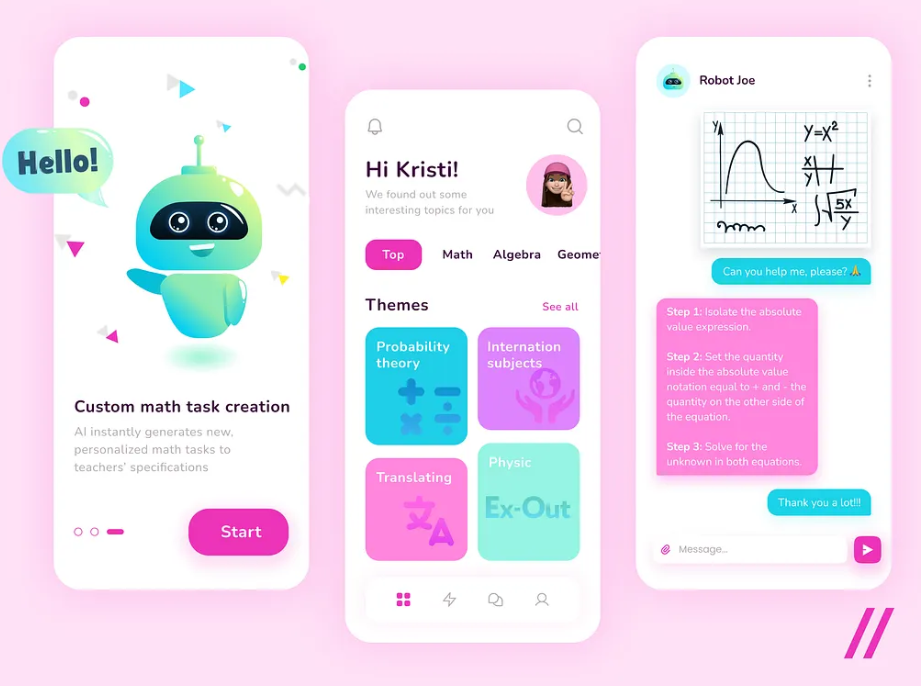
The Math Assistant’s impact extends beyond the individual learner, as it also serves as a valuable resource for educators. Teachers can leverage the tool to differentiate instruction, offering customised support and resources to meet the diverse needs of their students. By integrating the Math Assistant into their lesson plans, educators can create an inclusive learning environment where all students, regardless of their background or abilities, could thrive in mathematics. Moreover, the Math Assistant’s capabilities extend beyond the classroom, serving as a valuable resource for migrant learners to continue their mathematical education and skill development outside of the formal educational setting. By providing access to personalized learning materials and support, the tool empowers these students to engage with mathematics in their daily lives, fostering a deeper appreciation for the subject and enhancing their overall academic and personal growth.
Live Captions and Real-Time Translation
In our increasingly globalised world, the ability to effectively communicate and comprehend content across language barriers has become dominant, particularly in educational settings. Live captions and real-time translation are digital tools that address this critical need, revolutionising the way migrant students and individuals with hearing impairments engage with educational materials and participate in classroom activities.
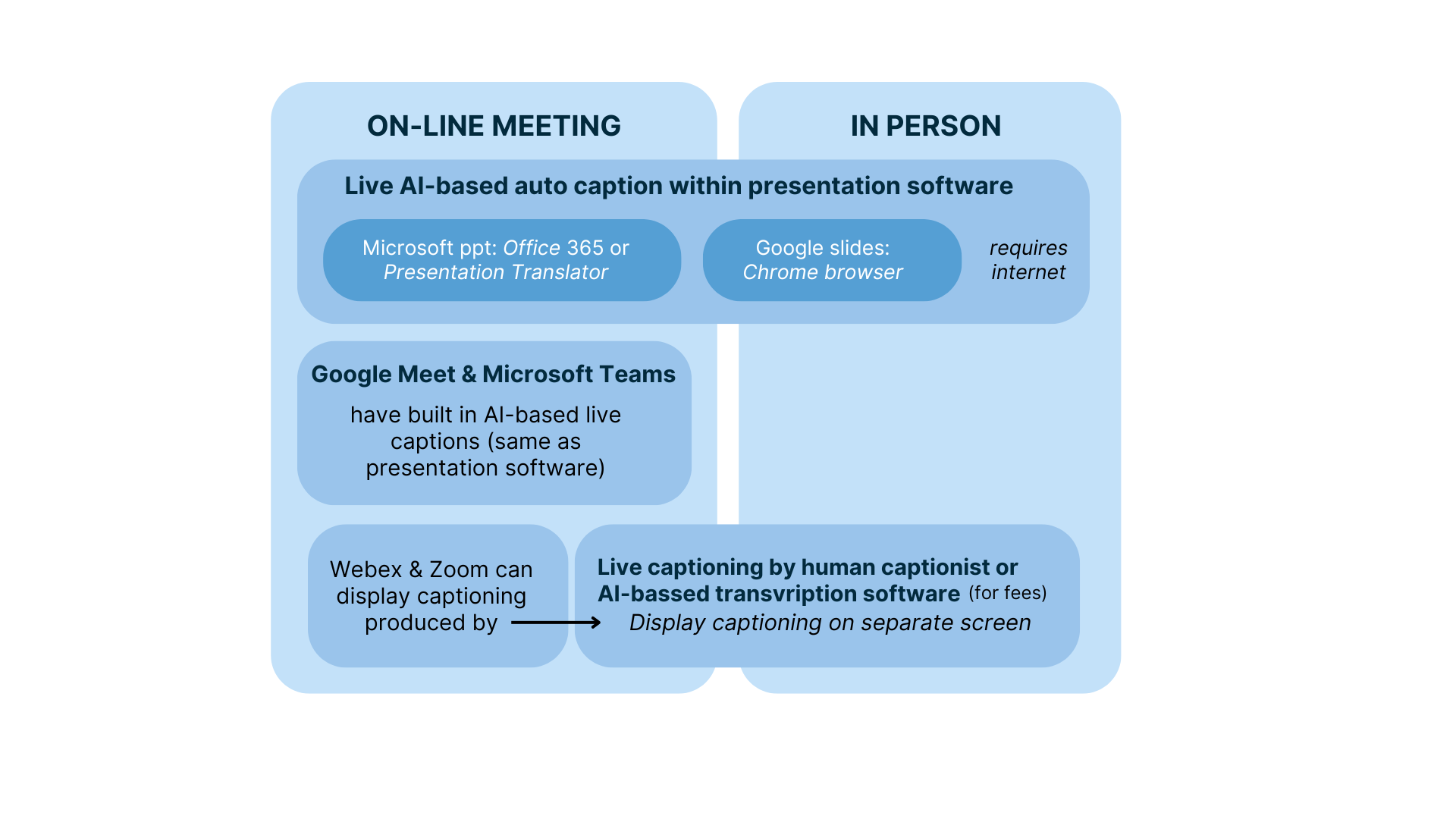
These innovative technologies integrate the power of speech recognition and machine translation to provide real-time captions and subtitles during video presentations, lectures, and virtual meetings. For migrant learners, this feature enables them to fully immerse themselves in the learning process without the burden of constant translation or the fear of missing key information. Similarly, individuals with hearing impairments can leverage these tools to access educational content and contribute to discussions on an equal footing with their peers.
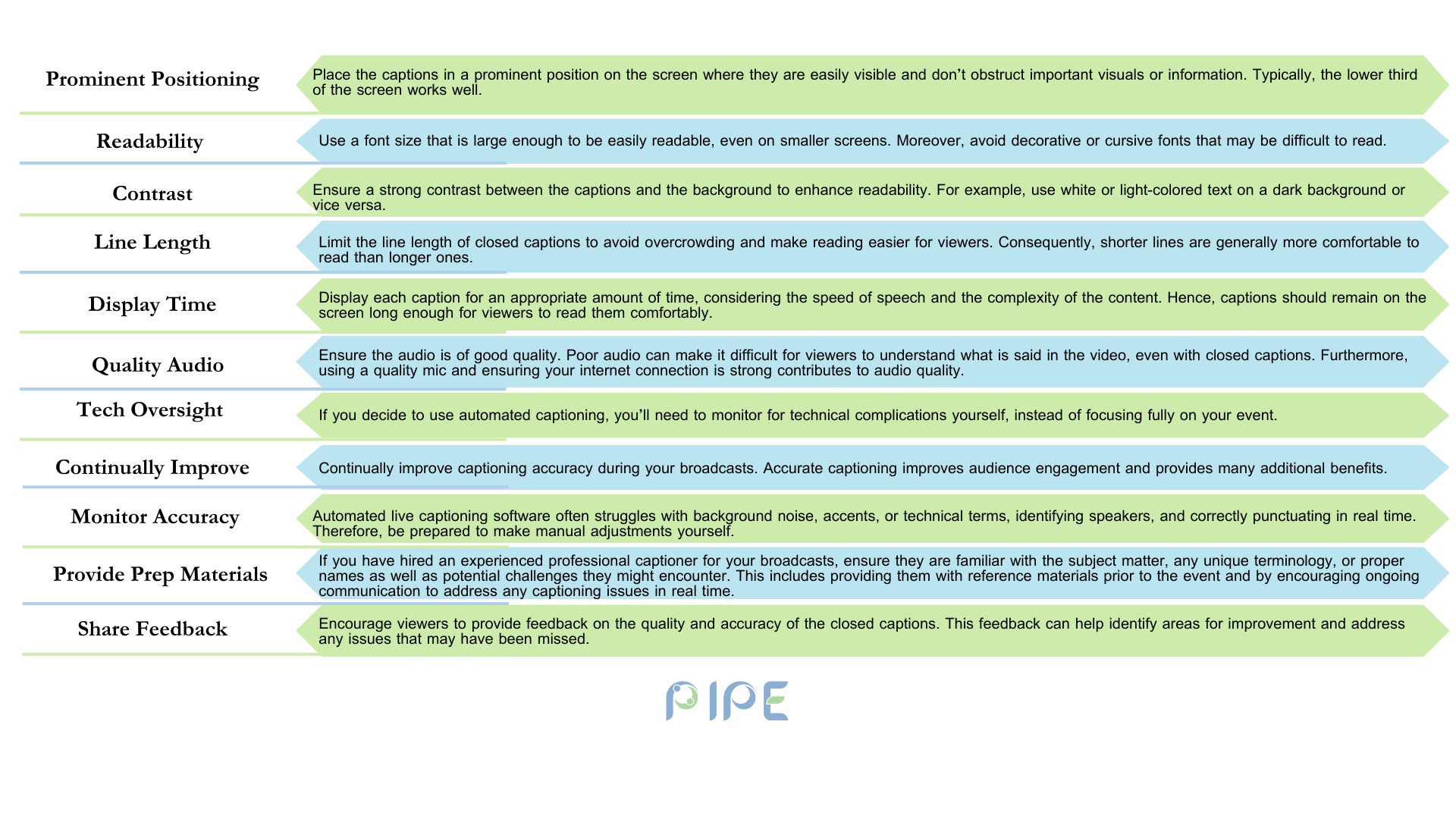
Live Captions refer to the textual representation of the spoken content that is displayed in real-time during a live event, such as a video conference, lecture, or presentation. The key feature of live captions is that they are generated and displayed concurrently with the audio, allowing users to read the text as the speaker is talking. This is in contrast to pre-recorded captions, which are added to the content in advance. Live captioning systems use advanced speech recognition technology to convert spoken words into text with a high degree of accuracy, ensuring that the captions are closely synchronised with the audio. Live captions are a valuable accessibility feature that benefits various groups of users, including individuals who are deaf or hard of hearing, English language learners, and those who prefer to read along with the audio content. Many live captioning systems also offer real-time translation, allowing the spoken content to be displayed in multiple languages simultaneously, which is particularly useful in diverse or global learning environments. Live captioning often provides options for users to customise the appearance of the captions, such as adjusting the font size, colour, and placement on the screen, to suit their preferences and needs. By providing live, synchronised captions, this technology helps to remove language and accessibility barriers, enabling all participants to fully engage with the audio content and actively contribute to the learning or communication experience, especially in online and virtual learning settings.
Real-time translation, also known as simultaneous translation or interpretation, refers to the process of instantly converting spoken or written content from one language into another, allowing for seamless communication between individuals or groups who do not share a common language. In the context of educational settings and online learning environments, real-time translation technologies play a crucial role in facilitating inclusive and accessible communication. These technologies leverage advanced natural language processing and machine learning algorithms to analyse the source language and quickly generate a translated version in the target language. The key aspects of real-time translation include instantaneous conversion, where the translation process occurs in real-time, with the translated text or audio being delivered almost simultaneously with the original spoken or written content, allowing for a continuous, uninterrupted flow of communication. Real-time translation systems are also capable of converting between a wide range of languages, enabling users from diverse linguistic backgrounds to engage with each other and with educational materials effectively. Some real-time translation tools can even learn from user interactions and feedback, continuously improving their translation accuracy and fluency over time, thereby enhancing the user experience. These technologies are often integrated into various communication and collaboration platforms, such as video conferencing software, messaging apps, and virtual learning environments, making them seamlessly accessible to users. By providing real-time translation, these technologies break down language barriers and empower students, educators, and participants from different linguistic backgrounds to actively engage in educational activities, fostering a more inclusive and equitable learning environment.
Live captions and real-time translation significantly enhance online learning in several ways. They make virtual classrooms accessible for hearing-impaired students by providing verbatim captions of lectures and discussions, ensuring these students can fully understand and engage with the content. For migrant students or English language learners, real-time translation is invaluable, translating spoken words into their native language to bridge language gaps and improve comprehension, leading to better academic success. These tools also help all students concentrate and focus better during online lessons by offering a written record of verbal content, reducing the cognitive load required to process information. Additionally, they provide flexibility and personalization, allowing students to access recorded lessons at their own pace, pause, and review specific sections as needed, catering to diverse learning styles and paces. In virtual breakout rooms or group discussions, live captions and real-time translation facilitate seamless communication and collaboration among students from different linguistic backgrounds, promoting an inclusive learning environment where everyone can actively contribute and learn from each other.